Say it acrossthe dark.
SENDERType a few words.
RECEIVER
Interactive demonstrationInteractive demoYour light sends it. Their camera reads it.
Turn a few words into Morse with your phone's flashlight, screen, sound and vibration. Another phone's camera can read the light back into text.
Join the group, opt in,
then install Morse.
Light. Sound.
A little Morse.
Your phone has a
second language.
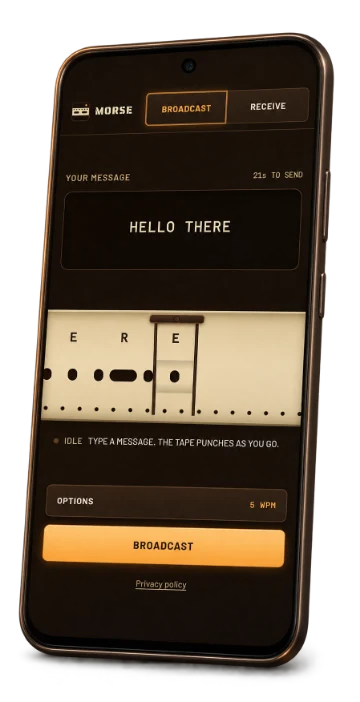
Type a message and the paper tape punches itself. Press Broadcast, hold up your phone, and let the light do the talking.
Morse can send through flashlight, screen, sound and vibration together. Pick an output to explore the pattern here.
Let your flashlight talk.
The Android app turns your camera's LED into a Morse lamp. This small light follows the same timing.
The light comes
back as words.
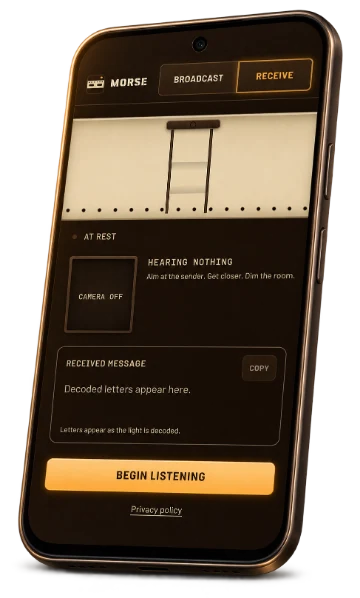
Open Receive on another phone and aim at the sender's light. Morse finds the pace and builds the message as the flashes arrive.
You get a readable transcript and a copy button. The camera processes the light on your phone.
Try the real exchange in the web appType a message above and send the signal.
The message stays with you.
Your words and camera frames stay on your device. Morse processes the light locally, and closes the camera when you stop. The Android app bundles its interface and fonts, too.

Join the Android beta.
Use the same Google account for the group, beta signup and Play Store.
Join the tester group
Join Morse Android Testers to get access to the closed test.
Join the Google GroupJoin the beta
Confirm that you want to be a tester on Google Play's beta signup page.
Join the beta on Google PlayInstall Morse
After joining the beta, open the store listing to install Morse on your Android phone.
Open the Play Store
If Google Play says the test isn't available, check that you've joined the group and are using the same Google account.
Or try Morse in your browser